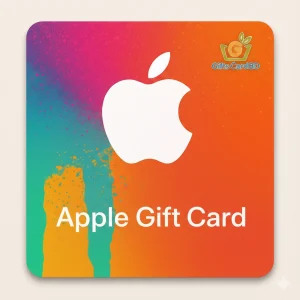
At GiftsCardBD, Buy Apple iTunes Gift Cards in Bangladesh.
Apple or iTunes gift cards in Bangladesh can be bought from various channels, among which are online stores, Facebook shops, and digital item marketplaces. The most popular payment methods are bKash, Nagad, and Rocket, which makes the transaction safe and fast. Many users like to buy iTunes gift cards through bKash as it is fast and offers great transaction handling.
Besides that, top-notch marketplaces like Daraz BD list Apple gift cards as well, but usually, the instant email delivery through the dedicated digital product vendors is quicker.
iTunes Gift Cards price in Bangladesh
The rate varies according to the currency and the market. Typical market price ranges:
- $5 iTunes Gift Card
- $10 iTunes Gift Card
- $25 iTunes Gift Card
- $50 iTunes Gift Card
- $100 iTunes Gift Card
There is no authorized Apple Store in BD, so the prices might not be exactly same as the US retail prices, however, there still are some sellers offering iTunes gift cards at low prices in BD.
Steps for Redeeming and Using iTunes Gift Cards
Redeeming the Apple gift card is a very straightforward process:
- Open App Store or go to the Apple ID settings
- Press on Redeem Gift Card or Code
- Type in the code manually or make a scan
- The balance on your Apple ID will be changed immediately
After redemption, feel free to apply the remaining amount towards purchasing apps, movies, music, subscriptions such as Apple Music, etc. Thus, for Apple users in Bangladesh, it is regarded as the best gift card.
iTunes Gift Card Check and Balance Inquiry
To see the iTunes gift card balance, log into your App Store profile, click on your name, and check the Apple ID balance. If you do not redeem the card yet, the only way to find out the balance is through redemption Apple does not permit checking the value on an unused card beforehand.
Explore More Digital Gift Cards:
Steps for Redeeming and Using Apple Gift Cards
Redeeming the Apple gift card is a very straightforward process:
- Open App Store or go to the Apple ID settings
- Press on Redeem Gift Card or Code
- Type in the code manually or make a scan
- The balance on your Apple ID will be changed immediately
After redemption, feel free to apply the remaining amount towards purchasing apps, movies, music, subscriptions such as Apple Music, etc. This makes Apple gift cards one of the most popular digital gift cards for iPhone, iPad, and Mac users in Bangladesh.
Apple Gift Card Check and Balance Inquiry
To see the Apple gift card balance, log into your App Store profile, click on your name, and check the Apple ID balance. If you do not redeem the card yet, the only way to find out the balance is through redemption Apple does not permit checking the value on an unused card beforehand.